







Analytics
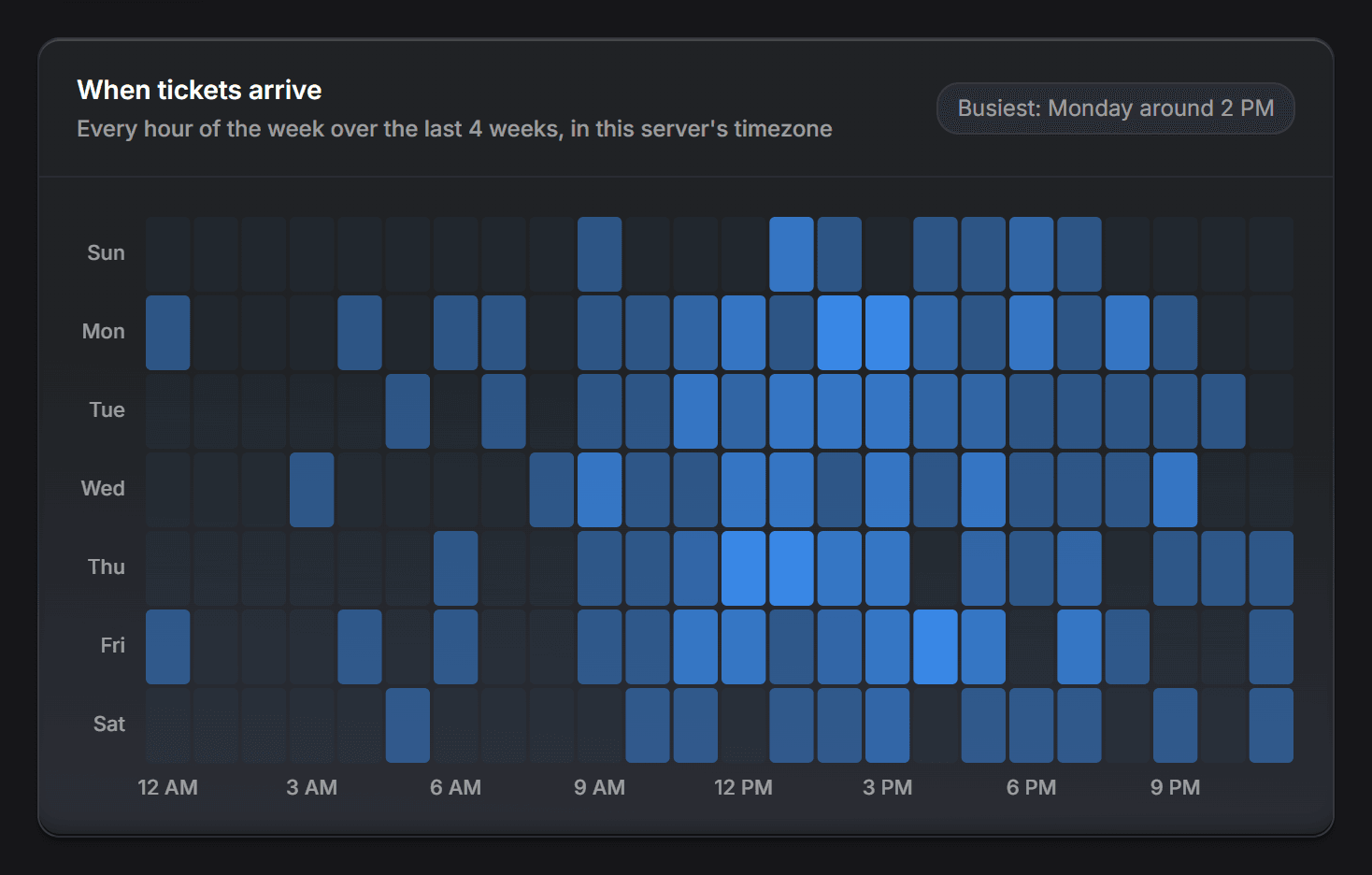
How many arrived, how fast they were answered, which category eats the week, and which of those numbers moved since last month.
 A powerful ticket bot for Discord
A complete support bot. Panels, categories, transcripts, opening hours, staff payouts, and it runs without spending a cent on AI. Switch the AI on and it answers from your own documentation.
 JakeOnline



Four of the five things that happen to a ticket happen without a model being asked anything. That is the product. The answering comes after.
 Somebody opens itFrom a panel, or a command
 It joins the queueWith a category and a priority
 Someone claims itAnd it becomes theirs
 It gets solvedThe member rates it
 The transcript staysOn a page you control
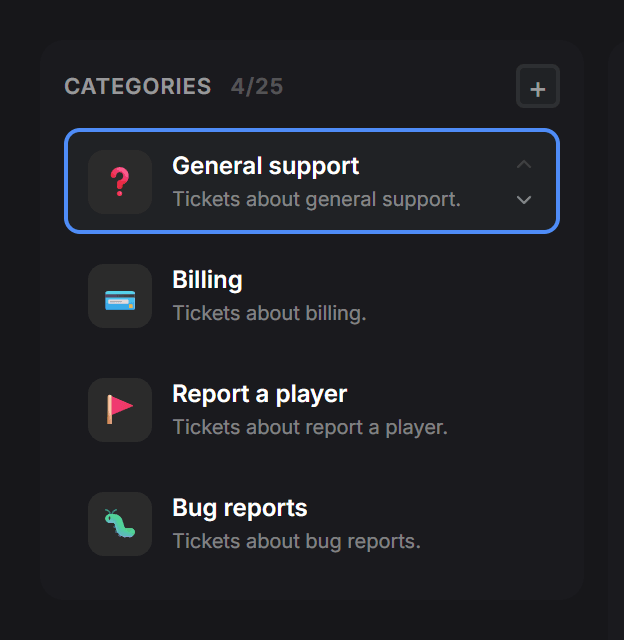
Members pick what fits and land in a private channel with the right team already in it. Buttons or a dropdown, your emoji, your wording, posted straight from the panel.

 General support
 Billing
 Report a player
 FAQ
A short form in front of the ticket. The order number, the platform, the screenshot: whatever you always end up asking for. The ticket then starts with half the work already done.

Open a ticket · Billing
One press makes a ticket somebody's. The team sees who has what, a priority can be set by hand or read from what was written, and closing asks the member how it went.
 Claim
 ClosePriority
Marina claimed this ticket.
Jake is typing…
The whole conversation, the rating and who closed it, on a web page that looks like Discord. Hand one to a colleague with a link, and decide per category who is allowed to open it.
The queue, today's totals, how each category is doing and a chart of when the day gets busy. Set opening hours and members can see when a team is open before they wait for an answer.
 0 open right now, 0 not answered yet
 0 opened today, 0 closed
 General Support
Usually busiest from 13:00 to 17:00
Build them out of blocks: text, buttons, dropdowns, boxes with a coloured bar. There is no preview, because the message is the editor. You click the words and type into them, and what lands in Discord is what you were looking at.
Pick the category that fits your question and we will open a private channel with the right team.
OpenOpenOpenOpenEverything the bot does is set from a web panel your staff reach with their Discord account, and nobody has to learn a command to change a setting.
How many arrived, how fast they were answered, which category eats the week, and which of those numbers moved since last month.
Every open ticket, who has it, and how long it has been waiting.

What a ticket can be about, who answers it, and where it lands.
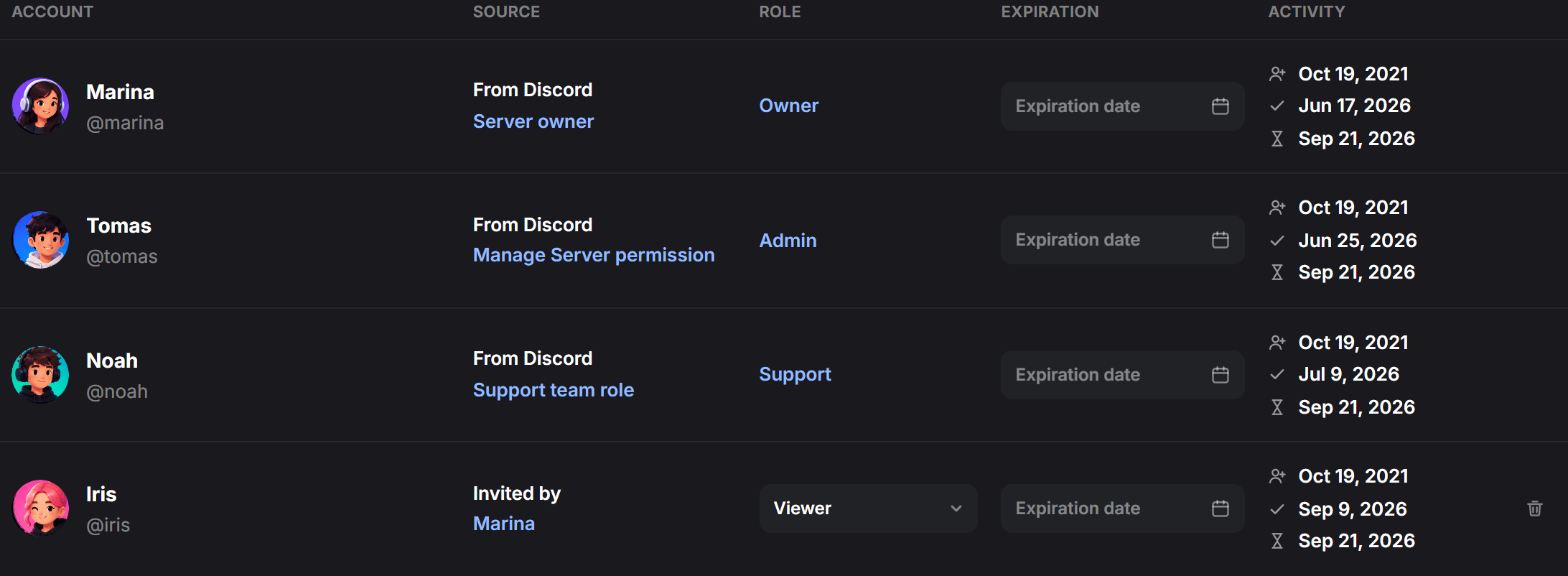
Owner, admin, agent, viewer. Taken from the roles you already have in Discord, and checked again every minute.
Not from the internet, and not from what a model happens to believe about your server. From the pages you wrote, quoted back with the file they came from. And it says it does not know rather than inventing one.
The moment a human claims the ticket, the AI stops writing in it. No competing replies, no member reading two different answers. Try it: the button under the conversation is real.
LazyTickets is thinking…
 SolvedTalk to a human
Marina claimed this ticket.
Marina is typing…
Press Claim and watch the AI go quiet.
When your team solves something the documentation did not cover, that answer comes back as a proposed edit to the right file: one click to keep, one to throw away. Nothing is written behind your back.
Kept. Added to refunds.md, and the next person gets a straight answer.
Try approving it.
When a ticket closes, the AI keeps a handful of short facts about whoever opened it: the framework they run, the plan they are on, what they have already been told. Next time they come back, nobody makes them explain it again. Fifteen facts per member at most, the passing ones expire in a month, and every one of them is listed in the panel for you to delete.
Nobody asked about the framework this time.
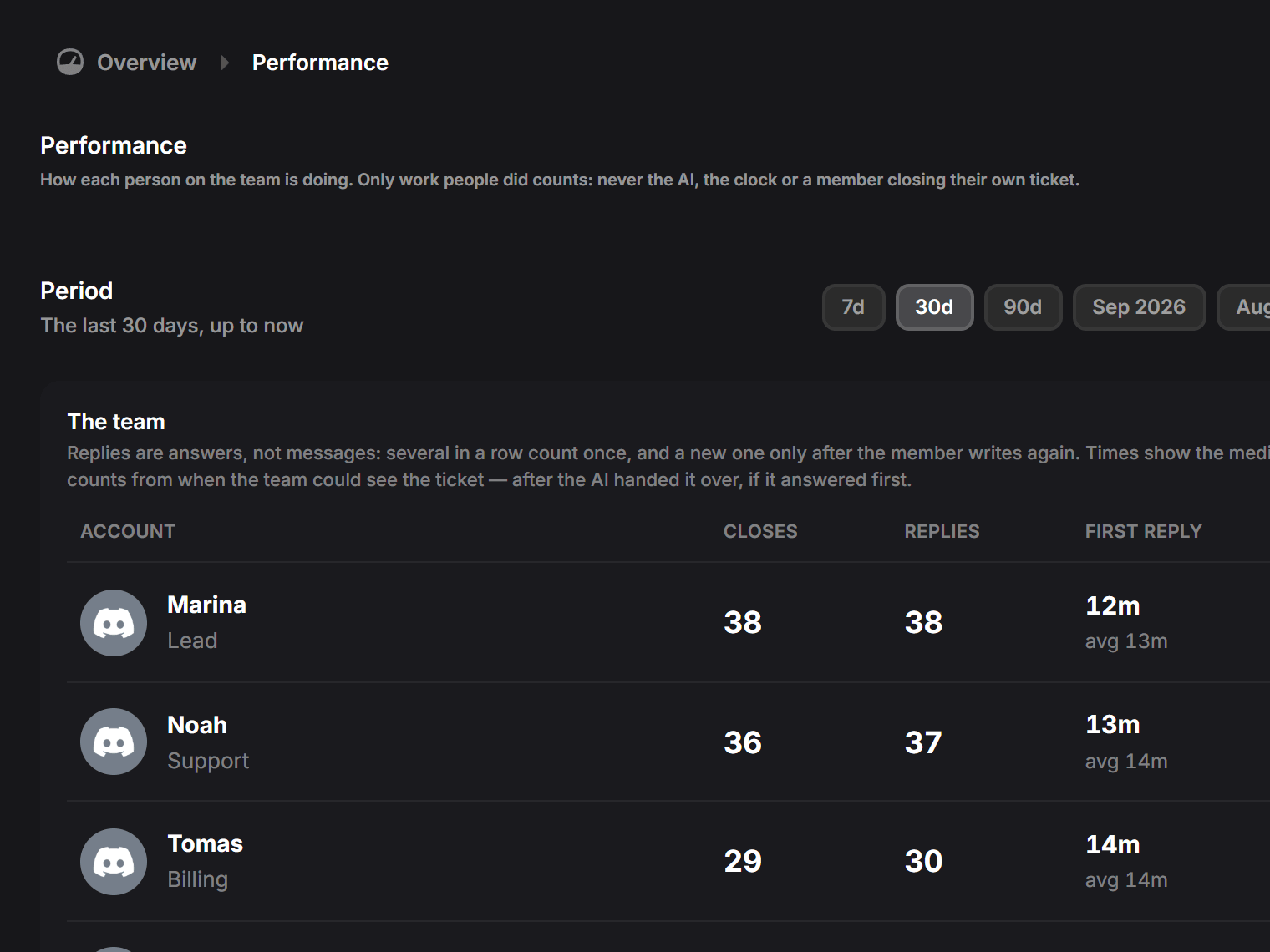
Closes, replies and first-response times per agent, counted only during your opening hours, so nobody is measured on the eight hours the team was asleep.
Set a rate per close, per reply or per category, give each person their own payout method, and take the month out as a CSV. For a volunteer team it is a leaderboard; for a paid one it is the payroll.
| 1 | name | payout_method | closes | replies | total | currency |
|---|---|---|---|---|---|---|
| 2 | Marina | PayPal | 38 | 214 | 173.40 | EUR |
| 3 | Tom | Bank transfer | 24 | 131 | 109.10 | EUR |
| 4 | Ana | Wise | 17 | 96 | 77.60 | EUR |
| 5 | TOTAL | 79 | 441 | 360.10 | EUR |
One row per person, and the last line is what the month cost.
Panels, categories, transcripts, opening hours and the board cost nothing and always will. Premium lifts the ceilings; the AI is billed for what it actually spends.
0 €per month
Most popular
2,92 €per month
4,17 €30% off at launch
62,99 €once
89,99 €
Because it is the only part with a cost per use. It comes with a monthly allowance of credits, a cap you set, and the bot carries on without it the day you turn it off.
6,99 €per month
It takes about five minutes: invite the bot, pick three categories, choose the role that answers. The AI can wait until you have read a week of tickets.